
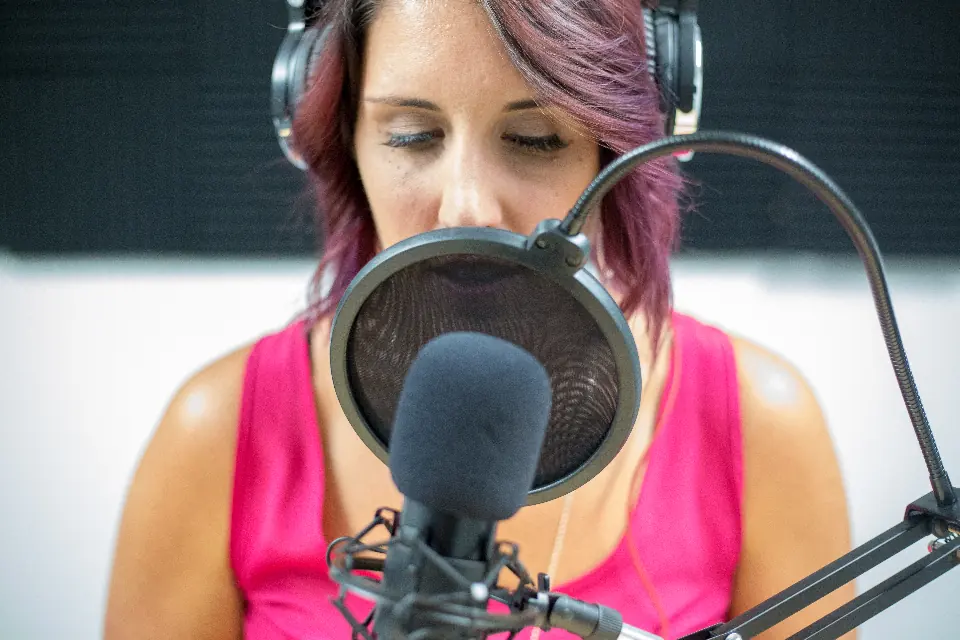
Mercado Tech Brasil presents guidance and a step-by-step guide to launching a podcast on digital platforms.
Podcasts keep growing in popularity, and having your own show can be an exceptional way to share ideas with a wide audience. So, if you're thinking about creating a podcast, Mercado Tech Brasil offers some suggestions to guide you as you launch your project.
First Steps for Your Podcast
Before you start the process of publishing your podcast, it's essential to follow a few initial steps. After all, to make sure your show succeeds, you need to plan carefully and deliver high-quality content.
Choose a Topic for Your Podcast
What do you want to talk about? What is your passion? Once you have a topic in mind, start developing ideas for your first episodes.
Write a Synopsis for Each Episode
The synopsis works as a concise summary of the episode's content, providing an overview that includes the topic, the guests and the main points to be discussed. This helps listeners decide whether they're interested in listening to the episode.
Recording and Editing Episodes
You can record your episodes at home or in a professional studio. If you choose to record at home, make sure you use a high-quality microphone and pick a quiet space. After recording, you can edit the episodes using audio editing software (a DAW).
A valuable tip is to search the internet for successful examples in the field. Try to identify the methods and tools those podcasts use, so you can draw inspiration both for choosing equipment and for the techniques they apply. This research can be extremely useful for investing in the right resources and improving the quality of your content.
Choosing Your Equipment
To ensure high-quality recording, even considering how much audio support on phones has improved today, it's highly recommended to invest in a good audio interface. Among the best-rated brands are:
- BEHRINGER
- LEXSEN
- M-AUDIO
- SOUNDVOICE LITE
- NEW LIVE
- FOCUSRITE
- HAYONIK
- KOLT
Choosing Your Microphone
When it comes to microphones, it's advisable to avoid cardioid ones, which are commonly used for talks and concerts. After all, a podcast is essentially an evolution of radio into the digital medium. It's essential to remember that it's a conversation in which the audio should be as crystal clear and noise-free as possible. So the most recommended option is to invest in condenser microphones designed specifically for voice recording. To help you choose, check out this list of the most recommended microphone brands for voice recording:
- Boya;
- Shure;
- RODE;
- HyperX;
- Behringer;
- Arcano;
When it comes to audio editing apps, it's important to be clear about how familiar you are with the field. For beginners, it's best to choose between the widely used Audacity, especially for content creators using Windows devices, or Apple's GarageBand (for iOS), which is quite intuitive even for those just getting familiar with audio editing. Below is a selection of the most popular apps:
- Podcasters (formerly Anchor);
- Adobe Audition;
- Garage Band;
- Audacity;
Check out 3 apps for publishing directly to digital platforms.
Now that you know how to start producing your podcast, the best equipment brands, the recommended type of microphone and the editing software you need, check out these three apps that make it easier to publish directly to digital platforms.
Spotify for Podcasters (formerly Anchor)
Spotify for Podcasters is a free podcast hosting platform, originally created in 2015 by Anchor and later acquired by Spotify in 2019. With this tool, content producers can record, edit and publish their shows on PCs or Macs, as well as through the platform's app on mobile devices.
It's worth noting that, even after Spotify officially became the owner of the former Anchor, the platform kept the same tools that were available before.
Launching the Podcast from a Computer
Step 1: Go to the podcast hosting website Start by visiting the Spotify for Podcasters website at https://podcasters.spotify.com/. Then click "start uploading your show".
Step 2: Start the Upload Process Select the option "I want to start a podcast" to begin uploading your show;
Step 3: Fill In Your Information
Fill in the fields with your information, including full name, email, password and date of birth. Then click "sign up";
Step 4: Answer the Short Survey (if shown)
If a pop-up appears asking why you're looking for Spotify for Podcasters, answer according to your goals;
Step 5: Confirm Your Sign-Up on the Platform
After signing up, check your email to verify your registration;
Step 6: Go to the Upload Area
Click "Let's go" to start uploading your podcast;
Step 7: Choose the Podcast File
Now click "Select a file" to start uploading your first episode;
Step 8: Enter the Podcast Details
Next, add a title and a description, and choose whether to schedule the publication date or release the episode immediately. Then click "Next";
Step 9: Add a Form of Interaction (Optional)
Next, you have the option of creating a way to interact with your audience, if you wish.
Step 10: Review and Publish
Check the information you've added and then wait for the podcast to propagate. It will soon be available on Spotify and on your favorite streaming apps.
Launching the Podcast from an Android Phone
Step 1: With the Spotify for Podcasters app open, sign in with your preferred Google account;
- Before uploading your first episode and launching the podcast, enter your personal details;
- Tap the "+" icon to upload your first pre-recorded episode;
Step 4: Now tap "Library" and then "Import" to select your finished podcast audio;
Step 5: Next, go to "Interludes" and choose background music for your show. Then tap "Details" to add information about the episode, such as cover art, description and title;
Step 6: After entering all the information, just tap "Publish" to get your first episode on the air;
Megaphone via Spotify
Megaphone, now part of Spotify, is a paid podcast hosting platform. Unlike Spotify for Podcasters, however, Megaphone (https://megaphone.spotify.com/) is mainly aimed at expanding your podcast's reach for a fee. To sign up, though, interest alone isn't enough.
You need to pre-register and wait for them to contact you to start the process of registering and publishing your show.
Platform: PodBean
PodBean is a paid platform that offers professional hosting services for podcasters.
Launching the Podcast from a Computer
Before starting the step-by-step, visit https://www.podbean.com/ and click "Sign up free". Then use a Google account to make the sign-up process easier.
After signing up on the platform, to start launching your podcast, click "Create new podcast";
Now click "Go to Settings" and fill in the fields with the required information;
Step 3: Next, click "New episode" and upload your show's file. Then fill in all the details for the first episode and click "Publish".
Step 4: Finally, choose a plan that fits your budget, complete the payment and publish the podcast on the main platforms, such as Spotify and Apple Podcasts;
Translated from the original in Portuguese. Read the original.